What are the top web design trends for 2026 and 2027?
The top web design trends for 2026 are tactile brutalism, oversized typography, dopamine color, bento grids and lightweight 3D. In 2027, the focus shifts to AI. Websites will predict what visitors need, adapt layouts in real time and serve AI answer engines. Meanwhile, speed and accessibility stay mandatory in both years.
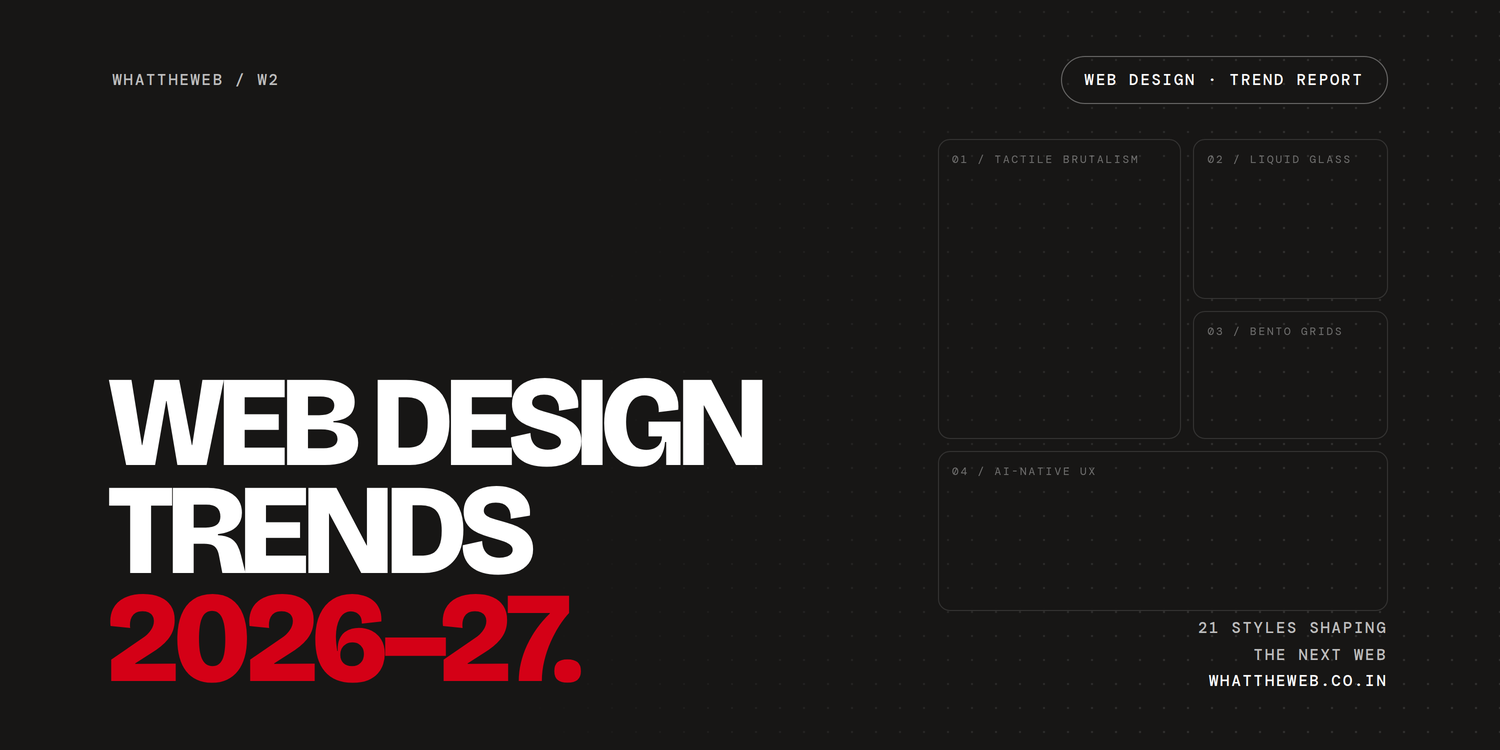
AI site builders now produce generic templates in minutes. As a result, the web design trends that matter most reward craft. In other words, brands must compete on taste, feel and speed. This guide covers 12 trends for 2026 and 9 trends for 2027. It also lists the trends to drop and shows you how to use each one without hurting SEO.
Key takeaways
- Maximalism grows up: Bold color and texture now lead web design trends and replace flat corporate UI. However, navigation stays simple.
- Human touch builds trust: Hand-drawn marks and real photos stand out on an AI-heavy web.
- 3D gets lighter: Instead, fast, compressed models replace heavy renders that drain phone batteries.
- AI changes the job of a website: By 2027, sites adapt to each visitor and also serve AI agents.
- Performance decides rankings: Ultimately, speed and accessibility shape your visibility in Google and AI search.
The 12 biggest web design trends of 2026
Web design trends in 2026 split two ways. On one side, designers chase expression: loud color, giant type, texture and nostalgia. On the other side, they chase function: personalization, smart layouts and instant load times. In short, the best sites blend both.
1. Tactile brutalism
Tactile brutalism pairs raw, grid-exposed layouts with textures that feel physical. Above all, it replaces the soft, rounded “corporate UI” that ruled the early 2020s.
- What it looks like: visible borders, hard shadows, monospace labels, flat color blocks and paper grain.
- Best for: Above all, creative studios, developer tools, Gen Z brands and portfolios.
- Use it well: Keep the rawness in the visuals, not the navigation. After all, visitors should still find your menu in one second.
Elevated brutalism is a softer cousin. It keeps the bold grid but adds premium type and generous spacing. So it suits luxury and fashion brands that want edge without chaos.
2. Exaggerated hierarchy and kinetic typography
Exaggerated hierarchy sets huge headlines next to small body text. This contrast makes typography the main visual, not just a container for words.
- What it looks like: screen-filling headlines, variable fonts that stretch on hover and text that animates as you scroll.
- Best for: mainly agencies, product launches, editorial sites and brands without strong photography.
- Use it well: Pick one expressive display font and one calm reading font. Also, keep body text at 16px or larger.
3. Dopamine color
Dopamine color uses bright, saturated palettes to spark energy and joy. After years of beige and muted neutrals, web design trends are turning the volume back up.
- What it looks like: neon gradients, electric blue on lime and playful clashing hues.
- Best for: mostly lifestyle, beauty, food, youth brands and consumer apps.
- Use it well: Choose one hero color and two accents. Then check every text and background pair for contrast.
4. Warm minimalism (nature distilled)
Warm minimalism is the calm counterweight to dopamine color. It borrows the earthy tones of wood, clay and soil to create quiet sophistication.
- What it looks like: sand, terracotta and olive palettes, soft serif headlines, organic shapes and plenty of white space.
- Best for: in particular, wellness, interiors, hospitality, skincare and slow-living brands.
- Use it well: Add one small moment of delight, such as a gentle hover effect. Otherwise, the page can feel empty instead of calm.
5. Liquid glass (glassmorphism 2.0)
Liquid glass layers translucent, light-bending panels on top of content. Apple pushed the style into the mainstream with its Liquid Glass design in 2025, and the web quickly followed.
- What it looks like: frosted panels, floating navigation bars, soft reflections and layered depth.
- Best for: especially AI products, tech startups, fintech dashboards and app landing pages.
- Use it well: Limit glass to one or two key surfaces. Blur effects cost rendering power, and low contrast hurts readability.
6. Bento grids and card play
A bento grid splits a page into neat boxes of different sizes, like a Japanese lunch box. As a rule, each card holds one idea, stat or feature. That clarity makes bento one of the most practical web design trends.
- What it looks like: modular tiles, rounded corners, mixed media and small flip or hover animations.
- Best for: chiefly SaaS feature pages, product launches, portfolios and dashboards.
- Use it well: Give every card one job. First, plan how the grid stacks on mobile. Then design for desktop.
7. Retro revival: Y2K, dial-up and scrapbook
Retro revival borrows from the early internet and past decades. For example, it mixes ’80s excess, Y2K chrome, GeoCities-style “dial-up design” and scrapbook collages.
- What it looks like: pixel fonts, WordArt-style headings, MS Paint doodles, stickers, tape and torn paper.
- Best for: above all, music, fashion, creator brands, events and Gen Z products.
- Use it well: Wrap nostalgic visuals around a modern, fast structure. The vibe can be 2003, but the load time cannot.
8. Human-made imperfection
Human-made imperfection adds hand-drawn marks, uneven shapes and visible process. As a result, it counters the sterile polish of AI and shows that a real person made the site.
- What it looks like: sketchy underlines, handwritten notes, grainy photos, scribbled arrows and doodle icons.
- Best for: in particular, creators, small businesses, agencies and personal brands.
- Use it well: Treat imperfection as an accent. For a friendlier twist, try “cute-alism”, which mixes kawaii characters with brutalist layouts.
9. Lightweight 3D and spatial design
Lightweight 3D brings depth and interactive objects to the browser without heavy files. In other words, you get the wow factor without the battery drain. Few web design trends sell products this well.
- What it looks like: product models you can rotate, shapes that react to the cursor and subtle depth layers.
- Best for: especially e-commerce, automotive, tech hardware and immersive brand sites.
- Use it well: Compress every model and lazy-load anything below the fold. Also, always provide a static fallback for slow phones.
10. Scroll storytelling (motion narrative)
Scroll storytelling turns a page into a story. Each scroll reveals the next scene, just like a film. As a result, visitors keep reading.
- What it looks like: pinned sections, text that assembles as you scroll and products that emerge from darkness.
- Best for: particularly product launches, brand stories, annual reports and portfolios.
- Use it well: Let users control the pace. Besides, always respect the “reduce motion” setting on their device.
11. Museumcore and archival index
Museumcore presents content like a curated gallery. Similarly, archival index layouts organize work in clean, catalog-style lists.
- What it looks like: numbered entries, small captions, wide margins, serif type and gallery-wall image grids.
- Best for: in particular, architects, photographers, publishers, galleries and designers with large portfolios.
- Use it well: Add strong filters and search, because a beautiful archive still needs to be easy to browse.
12. Micro-interactions that do a job
Micro-interactions are small animations that respond to an action. For example, a button bounces when you tap it. Among 2026 web design trends, they work as a usability layer, not as decoration.
- What it looks like: buttons that confirm a tap, form fields that guide you and elements that react to the cursor.
- Best for: every website, especially forms, checkouts and apps.
- Use it well: Make each animation answer a user question, such as “Did that work?” or “What do I do next?”
Web design trends to watch in 2027
The web design trends of 2027 go deeper. Websites stop acting like brochures and start acting like assistants. The styles of 2026 stay. However, the bigger change happens under the surface: how a site thinks, adapts and gets read by machines.
1. Agentic and predictive UX
Predictive UX uses AI to guess what a visitor needs next. Then it shortens the path to that goal, so the site feels like a helpful partner instead of a menu.
- What it looks like: “Resume checkout” and “Reorder” buttons, preloaded next steps and search that answers questions in plain language.
- Why it matters: After all, visitors judge a site in a fraction of a second. Therefore, fewer steps mean fewer exits.
2. Living design systems and generative UI
A living design system adapts layouts, visuals and even tone to each visitor, device and context. Crucially, AI works inside the brand rules, not around them. This is where web design trends meet automation.
- What it looks like: design tokens that adjust automatically, AI-generated page variants and layouts that reflow by intent.
- Why it matters: Teams define the core brand once and let AI handle the variations. As a result, consent and user control become part of the design.
3. Designing for AI agents and answer engines (AEO)
Your next visitor might be an AI agent, not a person. Today, chatbots, AI search and shopping agents read websites to answer questions and complete tasks. That is why answer engine optimization (AEO) now shapes design decisions.
- What it looks like: clean semantic HTML, clear headings, structured data, short direct answers and live product info.
- Why it matters: Machines cite, recommend and buy from sites they can read easily. In contrast, they skip messy code.
4. Scroll-choreographed environments
Scroll-choreographed sites feel like spaces you travel through, not pages you read. In effect, every scroll moves the story forward.
- What it looks like: portal-style section transitions, objects that build themselves and camera-like movement.
- Why it matters: Modern browsers now support native CSS scroll-driven animations. Consequently, these effects need far less JavaScript than before.
5. Radical proof and the anti-aesthetic
Radical proof favors real, verifiable content over slick stock visuals. As AI-generated media floods the web, authenticity becomes the premium look among web design trends.
- What it looks like: real team photos, raw screenshots, live data, named customers and behind-the-scenes process.
- Why it matters: Today, trust is the scarcest asset online. So proof beats polish, especially for B2B and service brands.
6. Ambient, calm and dark-by-default interfaces
Ambient design adjusts a site to the user’s context, such as time of day or device settings. Consequently, dark mode becomes a standard feature rather than a bonus.
- What it looks like: automatic dark themes, calmer late-night layouts and larger text when needed.
- Why it matters: Because comfortable reading is easier, it keeps people on the page longer, especially on phones at night.
7. Cognitive-inclusive and accessible design
Cognitive-inclusive design makes sites easier for neurodiverse users and anyone who feels overloaded. Instead of a final checklist, accessibility becomes the starting point. The WCAG guidelines remain the baseline.
- What it looks like: plain language, predictable navigation, reading-mode toggles, motion controls and generous spacing.
- Why it matters: Inclusive sites serve more people and face fewer legal risks. They also tend to rank better.
8. Luminous Blue and the bold color swing
Trend forecaster WGSN and color agency Coloro named Luminous Blue their Color of the Year for 2027. Expect this electric, tech-forward blue to shape web design trends across interfaces, apps and brand refreshes.
- What it looks like: vivid cobalt blues as primary brand colors, paired with warm neutrals or pops of pink and orange.
- Why it matters: Color now splits in two directions. On one hand, earthy neutrals signal trust. On the other hand, bold digital accents signal that a brand is current.
9. Performance and sustainability as design features
The simplest 2027 trend may matter most: a lean site that loads almost instantly. Additionally, fewer plugins and cleaner code cut energy use.
- What it looks like: minimal scripts, compressed media, system fonts and no autoplay video.
- Why it matters: In fact, speed affects rankings, conversions and AI crawlability at the same time.
Web design trends that are fading out
Some web design trends look exciting in a pitch deck but hurt real users. So drop these before 2027:
- Scrolljacking: Hijacking scroll speed frustrates people and breaks accessibility. Scroll storytelling works; scroll hijacking does not.
- Hero carousels: In practice, almost nobody reads slide two. Instead, show your strongest message once.
- Auto-opening chat widgets: For instance, a pop-up chatbot in the first three seconds feels pushy. Let users open it when they need help.
- Glass and AI gradients on everything: They no longer look fresh. Moreover, heavy blur effects slow pages down.
- Giant autoplay hero videos: Above all, huge video files kill mobile load times. Use a short, compressed loop or a strong still image instead.
- VR-only sites and emotion-sensing interfaces: They demand special hardware or raise privacy concerns. As a result, most visitors never use them.
2026 vs 2027 web design: what changes?
The 2026 web design trends focus on how a website looks and feels. By contrast, 2027 focuses on how a website thinks and adapts.
| Design area | 2026 | 2027 |
|---|---|---|
| Overall mood | Bold personality, nostalgia, texture | Calm intelligence, proof, adaptability |
| Layout | Bento grids, brutalist grids, scrapbook collage | Adaptive layouts that change by visitor and device |
| Typography | Oversized, kinetic, expressive | Type-led layouts with readable, scalable text |
| Color | Dopamine brights vs earthy neutrals | Luminous Blue, bold accents on warm neutrals, dark mode by default |
| Motion | Scroll storytelling, micro-interactions | Native scroll-driven environments that respect user settings |
| 3D and depth | Lightweight 3D, liquid glass | Spatial UI on regular screens, glass used sparingly |
| Role of AI | Speeds up design and personalizes content | Predicts needs, runs design systems and reads your site as an agent |
| Trust signals | Hand-drawn, human-made details | Radical proof: real photos, live data, named customers |
| Baseline | Fast and responsive | Near-instant, accessible, machine-readable |
How do you choose the right web design trend for your brand?
Choose web design trends that match your audience, not your mood board. First, define who visits your site. Then decide what they need to do there.
| Website type | Trends that fit | Use carefully |
|---|---|---|
| SaaS and AI startups | Bento grids, liquid glass, micro-interactions, predictive UX | Heavy 3D, retro revival |
| E-commerce and D2C brands | Dopamine color, 3D product views, live stock and delivery info | Scrolljacking, autoplay video |
| Creators and portfolios | Tactile brutalism, kinetic type, human-made imperfection, scroll storytelling | Liquid glass everywhere |
| B2B and professional services | Radical proof, warm minimalism, clear hierarchy | Cute-alism, dial-up design |
| Media and publications | Exaggerated hierarchy, museumcore, dark mode | Busy collage layouts |
| Fintech and health | Warm minimalism, accessible design, calm color | Playful clutter that lowers trust |
How do you use design trends without hurting speed or SEO?
Even the best web design trends cost more than they earn if they slow your site down. Google’s Core Web Vitals set three clear targets:
- Largest Contentful Paint (LCP): First, the main content loads within 2.5 seconds.
- Interaction to Next Paint (INP): Second, the page responds to taps and clicks within 200 milliseconds.
- Cumulative Layout Shift (CLS): Finally, the layout shift score stays below 0.1.
Next, follow these seven rules to keep trendy designs fast:
- Design mobile-first. Most visitors browse on phones. For example, in markets like India, many use mid-range devices.
- Pick one hero trend. Pair one bold style with a calm base, because three loud trends cancel each other out.
- Compress every asset. For example, use modern image formats, compressed 3D models and short video loops.
- Lazy-load below the fold. That is, load heavy effects only when the visitor scrolls to them.
- Respect user settings. For instance, support reduced motion, dark mode and larger text.
- Keep the structure clean. Use real headings, semantic HTML and short, direct answers. That way, search engines and AI assistants can read your pages.
- Test with real users. After all, real behavior data beats any trend report.
Building your next site with AI tools? Read the 8 docs you need before you vibe code an app first.
Frequently asked questions
What is the biggest web design trend in 2026?
Tactile brutalism, oversized typography and dopamine color lead the web design trends of 2026. Together, they push websites toward bold personality and creative expression.
What will web design look like in 2027?
Web design in 2027 will feel adaptive and intelligent. Sites will predict visitor needs, adjust layouts in real time and serve AI agents alongside humans. Visually, expect bold blues, calm neutrals, real photography and native scroll motion.
Is minimalism still in style in 2026?
Yes, but it has warmed up. Warm minimalism adds earthy color, soft textures and small moments of delight. By comparison, cold, empty minimalism now feels generic.
Is glassmorphism still a trend?
Yes. Glassmorphism returned as “liquid glass” after Apple adopted the style in 2025. However, use it on only one or two key surfaces, because overuse hurts readability and speed.
What colors are trending in web design for 2026 and 2027?
Two color directions lead the web design trends for both years. First, dopamine brights like neon gradients and saturated pinks bring energy. Second, earthy tones like clay, sand and olive bring calm. For 2027, WGSN and Coloro picked Luminous Blue as Color of the Year.
Will AI replace web designers?
No. Admittedly, AI builds first drafts, layouts and variations fast. Still, designers own taste, strategy, brand voice and user empathy. Because AI makes generic design cheap, original design becomes more valuable.
How do I optimize web design for AI answer engines?
First, structure your content cleanly. Specifically, use semantic HTML, clear H1 to H3 headings, bulleted lists, structured data and short, direct answers to common questions.
Do web design trends affect SEO?
Yes. Some web design trends, such as heavy animations, large videos and complex 3D, slow pages and hurt Core Web Vitals. On the other hand, clean structure, fast loading and clear headings help both Google rankings and AI search citations.
How often should you redesign a website?
Most brands do a full redesign every two to three years. Meanwhile, refresh smaller elements like color, type and imagery more often. Fix speed and usability issues as soon as you find them.
The bottom line
Web design trends in 2026 celebrate personality. In 2027, it adds intelligence. So pick the trends that serve your audience, keep your site fast and write for both humans and machines. Ultimately, taste and speed will set your brand apart from the AI-generated crowd.